

The dates are fixed, the hall is booked, and now the family wants to know when the card is coming. The good news: you can make a nikah card online on your phone in one sitting, without a designer and without a laptop.
Quick answer: to make a nikah card online, open a nikah card maker, type the bride and groom names, choose English or Urdu, add your events with date, time and venue, pick a picture and a design, and download it as a WhatsApp picture (1080×1920) or a PDF. On ChatWrapper this is free and needs no sign-up.
What you need before you start
Gather these first so you do not have to stop halfway and ring your mamoo:
- Bride and groom names, spelt the way the family wants them.
- Fathers' names, if your family likes "son of" and "daughter of" lines. They are optional.
- Each event: date, time, venue name and area or city.
- A short note line, such as a dua or "RSVP: Ahmed family", if you want one.
Not sure what the lines should say? Our guide to nikah invitation card wording has ready English and Urdu examples.
How to make a nikah card online, step by step
Open the nikah card maker on your phone. At the top there are two big choices: "Card for WhatsApp" and "Invitation website". For a card, keep the first one.
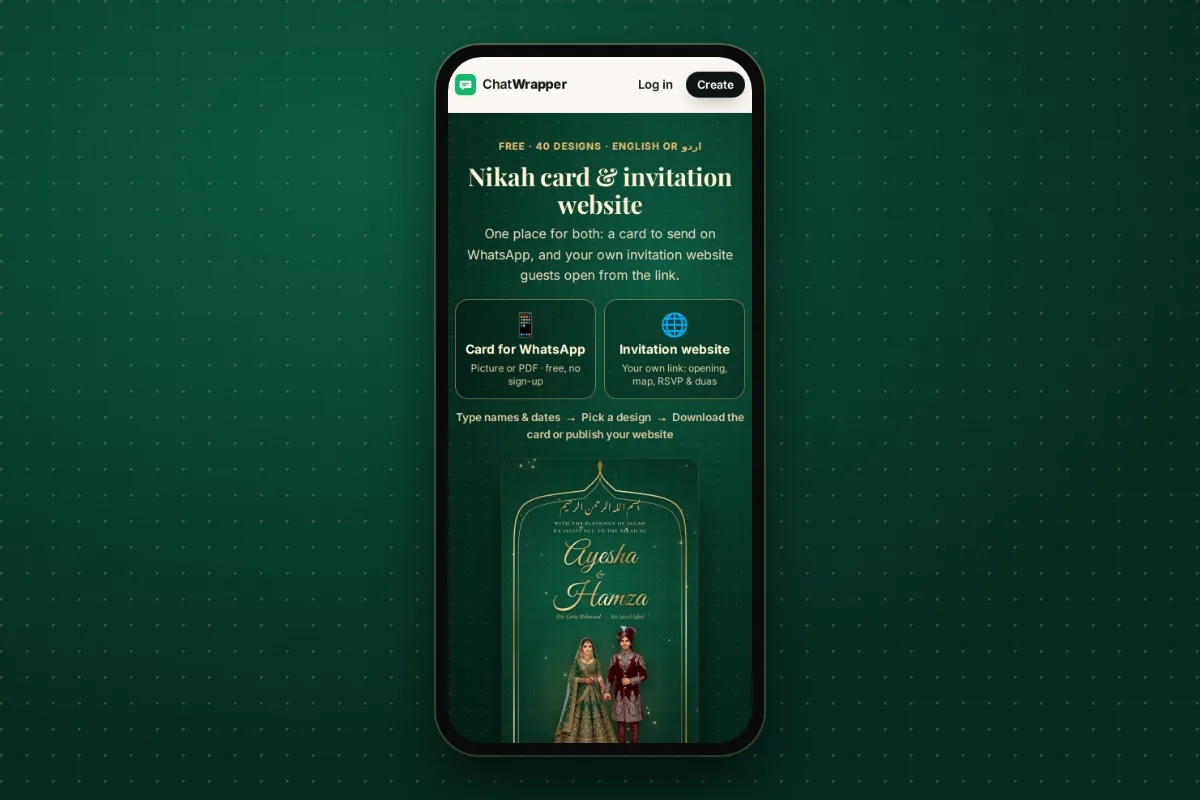
- Type the names. Bride first, then groom, plus fathers' names and a note line if you want them. The live preview updates as you type.
- Choose English or Urdu. If the elders would rather read Urdu, switch here.
- Add your events. Nikah, mehndi, barat, walima, dholki, rukhsati or mayun. A single card can hold one to four events, each with date, time, venue and area or city.
- Choose a picture. There are 11 illustrated couples, including faceless and back-view options for families who prefer them, or you can use no picture at all. Using your own photo is a Premium option.
- Choose a design. Pick one of 40 designs. 25 are free and 15 are Premium, and you can filter by Emerald, Maroon or Free.
- Check the live preview. Read every line once more: names, dates, venues. This is the moment to catch "Decmber".
- Download. Choose the picture for WhatsApp or the PDF.
Your details are saved on your phone as you type, so if the doorbell rings or the baby wakes up, you can close the page and carry on later.
Making a nikah card on phone: small tips that help
- Keep names short and clear. Long titles squeeze the text. "Ayesha Khan" reads better than three middle names.
- Write the area as guests know it. "Gulberg III, Lahore" or "DHA Phase 6, Karachi" is more useful than a full postal address.
- Use the 12-hour time families use. "After Asr" or "7:00 pm" is what guests expect to read.
- Ask one person to proof it. A second pair of eyes catches spelling mistakes in names faster than you will.
English or Urdu: which suits your family?
There is no right answer, only what your guests will read most comfortably. A few simple rules of thumb:
- Urdu feels warm and traditional, and many nanis and dadas read it faster than English. It suits families where the elders are doing most of the inviting.
- English is easier for younger cousins, friends from work and relatives abroad who never learnt to read Urdu.
- Both is easy too: make the card in one language, download it, switch the language and download again. Your names, events and design stay the same, so you can send the Urdu card to the khandaan group and the English one to friends.
Whichever you choose, keep the wording simple. A bismillah or short dua at the top, the names, the events and a warm closing line are all a nikah card really needs.
Choosing a nikah card design
Emerald designs feel fresh and calm, which suits a daytime nikah or a masjid ceremony. Maroon designs feel rich and traditional, a natural fit for barat and evening events. If you only want a free nikah card, tap the Free filter and you will see the 25 free designs straight away.
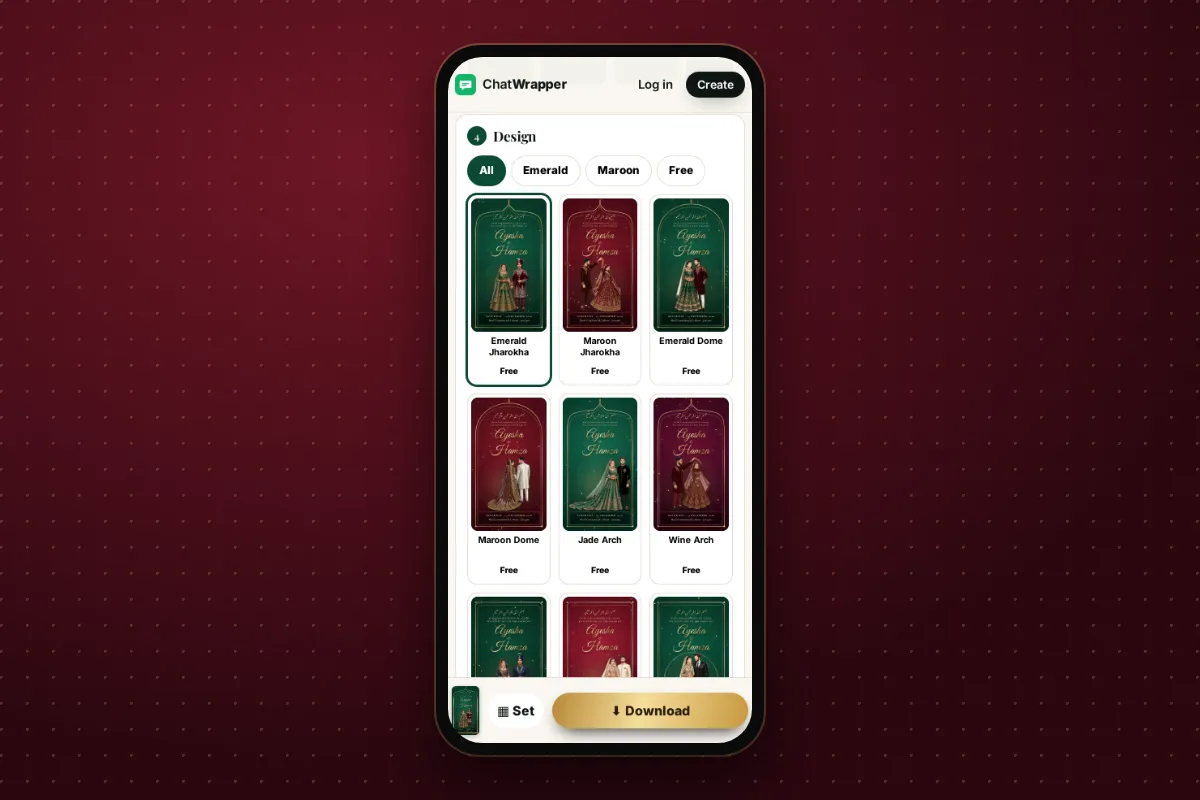
For more looks and what suits which event, see the nikah card design ideas post.
Picture or PDF: which to download?
| Format | Best for | Notes |
|---|---|---|
| Picture (1080×1920) | Nikah card for WhatsApp chats and status | Tall portrait shape that fills a phone screen |
| Nikah card PDF | Printing, email, elders who like a file | Can hold several cards in one file when you use "Whole set" |
Many families send the picture in WhatsApp groups and keep the PDF for the printer or for relatives abroad.
Cards for every event, with the same design
A shaadi in Pakistan is rarely one event. Under the card preview there are event chips: tap one to switch to that event's card. After a download, the "ready" box also offers the next events' cards with the same names and design, so mehndi, barat and walima all match.
If you want everything at once, use Whole set:
- Tick the events you want.
- Choose separate cards, all on one card, or both.
- Choose pictures or one PDF.
- Tap "Share all on WhatsApp", which opens your phone's share sheet.
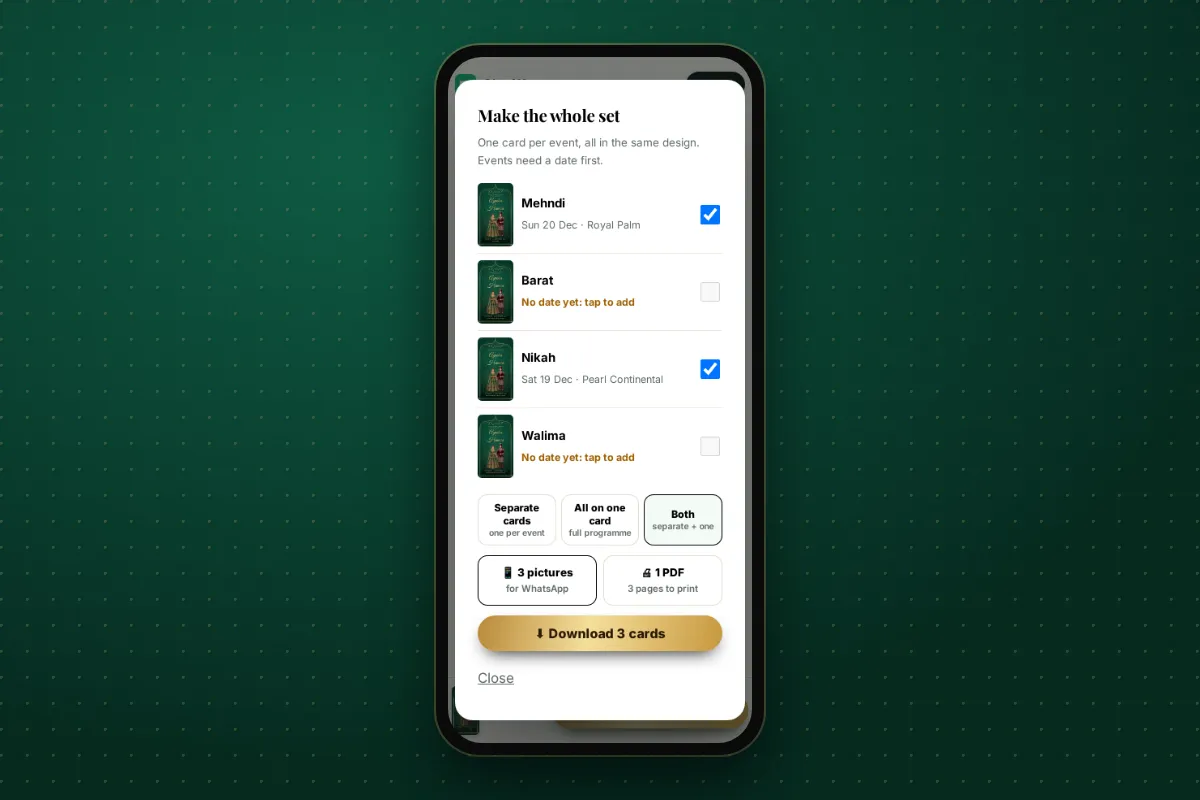
If you want just the nikah and walima together, the nikah and walima card page shows how both events fit on one card.
Sending your nikah card on WhatsApp
Send the card to each family group directly rather than forwarding the same message on and on. WhatsApp limits how far a message can be forwarded, and messages that have been forwarded many times can only go to one chat at a time (see WhatsApp's help page on forwarding limits). Add a short personal line above the picture, such as "Assalam o alaikum, InshaAllah you are invited. Please keep us in your duas."
Want a link as well as a card?
From the same details you can also make an invitation website: one link that opens in the guest's browser with a countdown, the programme with directions and "Add to calendar", RSVP and a duas guestbook. It needs a free account, and guests need no app or account. Read more in our guide to the online wedding invitation website.
Common mistakes to avoid
- Wrong date or day. Check the date against a calendar, especially across the new year.
- Venue without area. "Royal Marquee" alone could be in three cities.
- Too many events on one card. Four is the maximum, but two or three reads more comfortably on a phone.
- Different spellings across cards. Use the same names for every event; the maker keeps them for you.
A nikah card is often the first thing your families share about the wedding. Make it clear, check it twice, and let the duas begin.


