

A few years ago the card came in a box of mithai. Now the first invitation most guests see arrives in the family WhatsApp group, and more couples are choosing an online wedding invitation that does more than a picture can.
Quick answer: an online wedding invitation is a link you send on WhatsApp that opens in the guest's browser like a small website. It shows your names, a countdown, the full programme with directions and "Add to calendar" for each event, and lets guests reply with RSVP and send duas. Guests need no app or account; you need a free account to make one.
What is an online wedding invitation?
Think of it as a digital nikah invitation with a home of its own. Instead of a single image, you get your own address such as chatwrapper.site/i/ayesha-hamza, based on your names. You paste that nikah invitation link into WhatsApp, and WhatsApp shows your card picture as the link preview, so it still looks like an invitation in the chat.
When a guest taps it, the page opens in their browser. There is nothing to install and nothing to sign up for on their side, which matters when half your guest list is phuppos, nanas and chachas who will not download anything new.
Card or wedding invitation website: which do you need?
Both have a place. A card picture is quick, familiar and easy to forward. A wedding invitation website carries more information and gives you replies back. Here is how they compare:
| What you want | Card picture / PDF | Invitation website |
|---|---|---|
| Send on WhatsApp | Yes, as a picture or PDF | Yes, as a link with the card as preview |
| Cost | Free, no sign-up | Free account needed |
| Directions to each venue | Venue written on the card | "Directions" button opens Google Maps |
| Add to calendar | No | Yes, per event |
| Guests reply | Only by message | RSVP form with number of guests |
| Duas and wishes | Scattered across chats | One guestbook you can read or hide |
| Countdown and music | No | Live countdown and soft music |
You do not have to choose. In the nikah card and invitation website maker you type your details once and can download the card and publish the website from the same place.
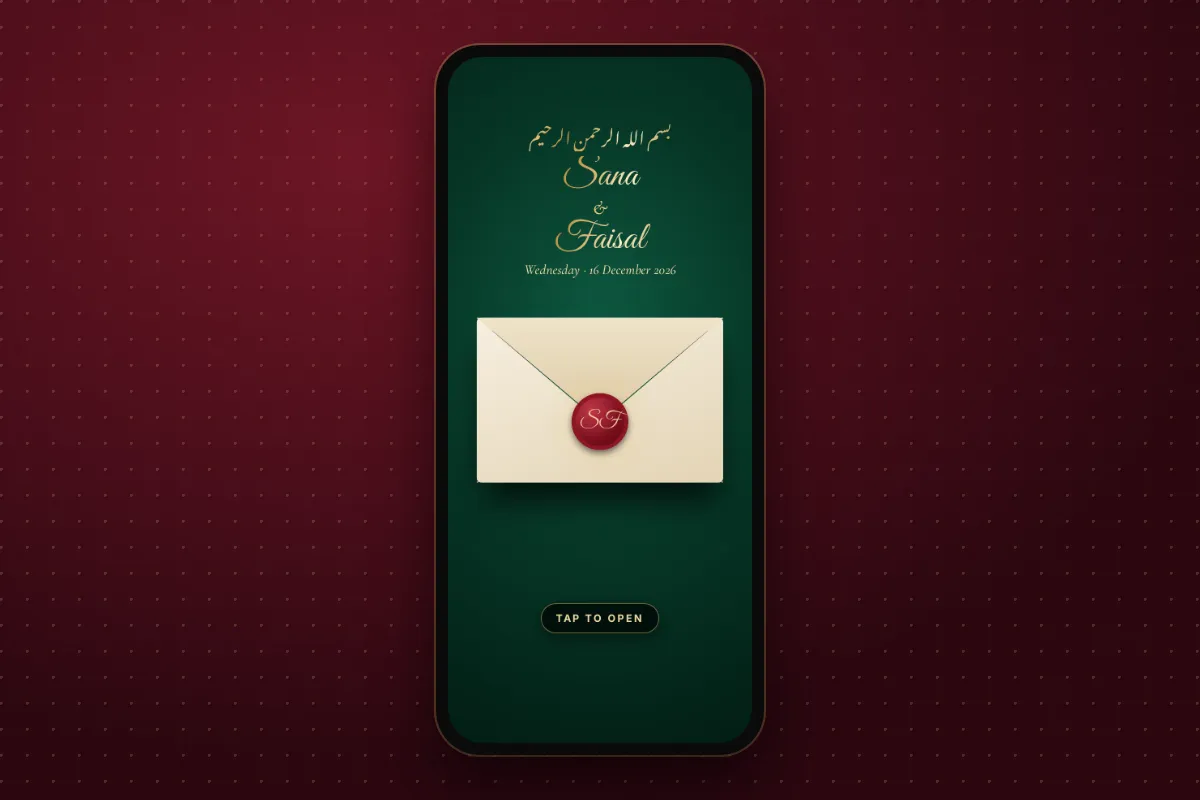
What guests see when they open the link
An opening scene
The website starts with one of six opening scenes that the guest taps to open: a wax-seal envelope, velvet curtains, haveli doors, a dupatta lift, diyas lighting up, or a farmaan scroll. It is a small moment, but it makes a link feel like an invitation rather than a webpage.
Names, couple and countdown
Next come your names in the design you picked, with an illustrated couple (or your own photo on Premium), a moving background with falling petals, and a live countdown to the day. Soft music plays, made in the browser, with a music button so guests can mute it in the office or at night.
The programme
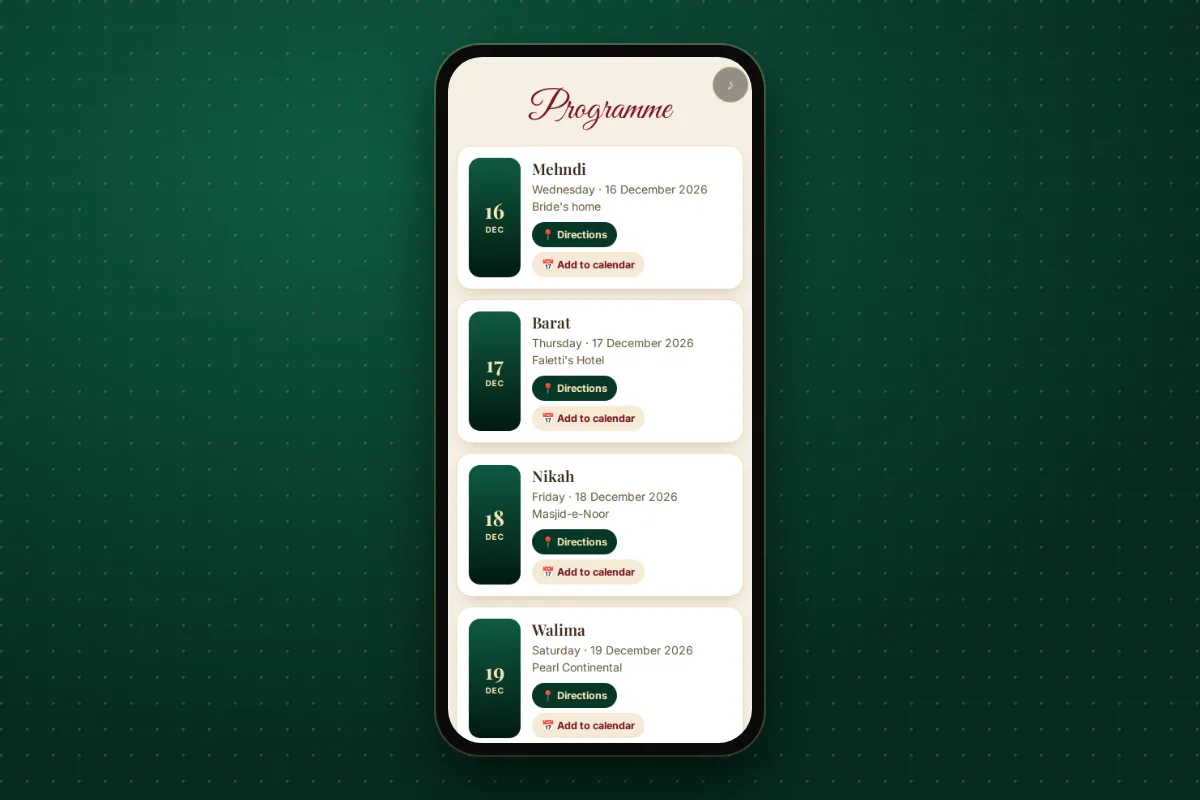
Every event you add appears in the programme: nikah, mehndi, barat, walima, dholki, rukhsati or mayun, each with its date, time, venue and area. Each one has a "Directions" button that opens Google Maps and an "Add to calendar" button for Google Calendar. No more "beta, location bhej do" messages on the evening of the barat.
If you are not sure how to word each event, the guide to nikah invitation card wording has English and Urdu lines you can use as they are.
RSVP and duas
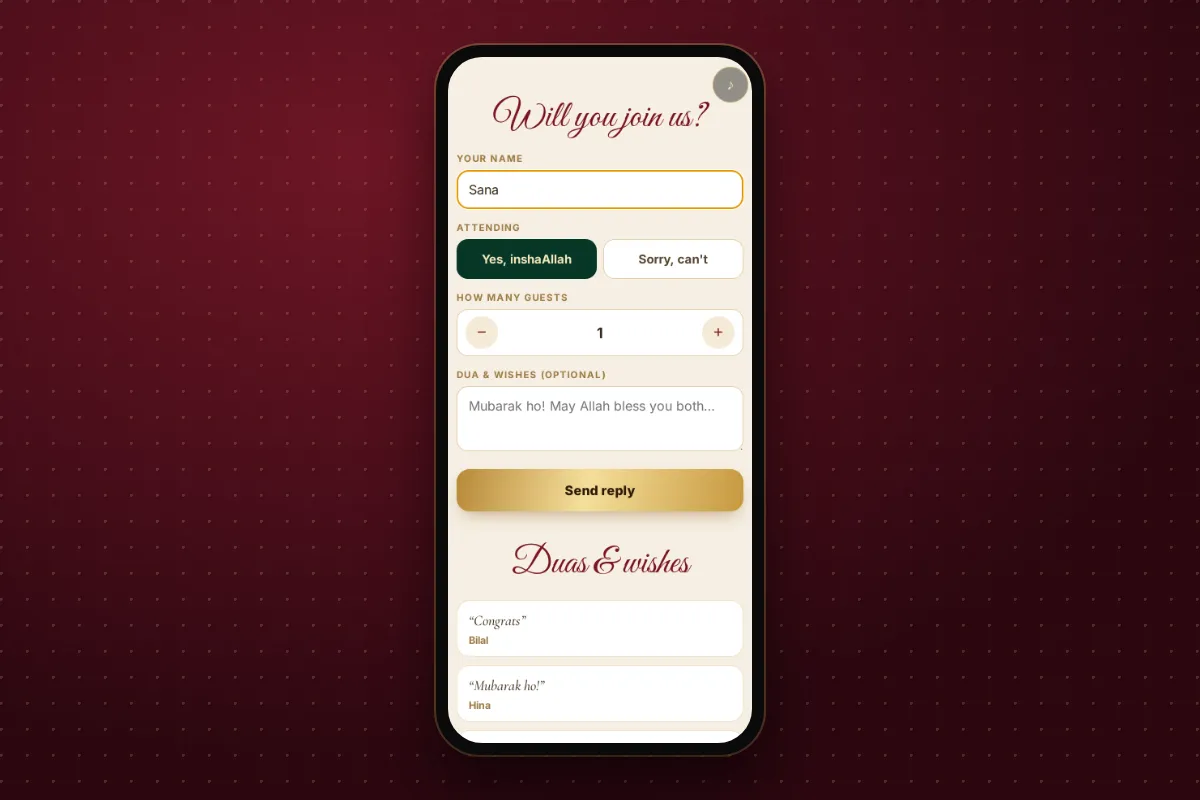
Guests can say whether they are coming and how many people, then leave duas and wishes in a guestbook. There is also a "Save the card" button so anyone who wants the picture can keep it.
How to make your online wedding invitation
- Choose "Invitation website". At the top of the maker there are two big choices: "Card for WhatsApp" and "Invitation website". You can switch any time.
- Type the names. Bride and groom, with fathers' names and a short note line if you want them. Choose English or Urdu.
- Add your events. Date, time, venue and area or city for each one.
- Choose a picture and design. Pick one of 11 illustrated couples (including faceless and back-view options), no picture, or your own photo on Premium. Then choose from 40 designs, 25 of them free, filtered by Emerald, Maroon or Free.
- Pick an opening scene and decide on music. The countdown, RSVP and wishes are on by default, and you can switch each one off later in your account.
- Check the WhatsApp preview. Before you publish, the maker shows exactly how your link will look in a WhatsApp chat.
- Publish and copy the link. Your details are saved on your phone as you type, so you can stop and come back later.
For design inspiration before you start, the nikah card design ideas post walks through the emerald and royal maroon looks and when each one suits.
Sending your WhatsApp wedding invitation
A link is easier to send than ten separate pictures, but a little planning helps:
- Send one message per family group. WhatsApp limits forwarding: a message can go to up to five chats at once, and messages that have already been forwarded many times can only go to one chat at a time (see WhatsApp's help page on forwarding limits). Pasting the link fresh into each group avoids that.
- Add a short personal line. "Assalam o alaikum, InshaAllah Ayesha and Hamza's nikah is on 19 December. All details are in the link, please let us know if you can come."
- Send the card picture to elders too. Some elders prefer a picture they can see without tapping. Send both if you like.
- Remind closer to the day. A gentle reminder with the same link a few days before works well, because the countdown and directions are all still there.
Keeping track of who is coming
This is where an e-invite for wedding planning really helps. Your account page shows the website link to copy, how many times it has been opened, who is coming, and the total number of guests. You can read or hide wishes, change the opening scene, music, countdown, RSVP or wishes settings, or delete the website.
You can turn on phone notifications for each website, so you hear when a guest replies. These work on Android in Chrome, and on iPhone only after you add the site to your Home Screen. If you prefer email, replies come grouped, at most one email every 30 minutes, so your inbox does not fill up during the busiest week of your life.
How long the link stays online
The website switches off 30 days after your last event, which gives guests time to read and leave late duas. If you would like to keep it as a memory, you can ask for it to be kept for lifetime.
A few honest notes
- The website needs a free account. The card picture and PDF do not.
- Premium designs and using your own photo need Premium. The 25 free designs and 11 illustrated couples cover most families well.
- Guests never need an app or an account. If they have WhatsApp and a browser, they can open it.
Plan the rest of the shaadi too
Most weddings in Pakistan run over several days. The nikah is the ceremony where the marriage contract is signed, the walima makes the marriage public, and the mehndi usually comes a few days before. One online wedding invitation can hold all of them in a single programme. If you also want separate cards per event, the maker offers the next events' cards with the same names and design after each download, and the nikah and walima card page shows how both fit on one card.
Whether you send a single card or a full invitation website, the aim is the same: make it easy for the people you love to know where to be, and to send their duas.


