

Fifty applications. Zero calls. It's easy to decide the market is hopeless or that everyone gets in through sifarish. Sometimes that's true. But very often the reason is much more fixable: the CV itself.
Quick answer: your CV usually gets rejected, or never shortlisted, because the hiring software can't read it or can't match it to the job. The biggest culprits are scanned or phone-photo PDFs, two-column layouts and tables, creative headings, messy dates and missing keywords from the job ad. Fix the file once and tailor the keywords for each job.
First, why "CV not shortlisted" is often a software problem
Banks, telecoms, multinationals, big local groups and most employers in UAE and Saudi Arabia take applications through an Applicant Tracking System (ATS). On Rozee and LinkedIn, employers filter and search applicants by keywords too. The software reads your file, pulls out your details and ranks you against the job ad. If it reads garbage, you land at the bottom, and recruiters with 500 applications don't scroll that far.
The fastest way to know if this is happening to you: upload your CV to the free ATS resume checker. It reads the file inside your browser, doesn't upload or save it, and gives you a score out of 100 with every failed check listed.
Now, the 10 mistakes.
The 10 common CV mistakes that block ATS
1. A scanned PDF
You printed the CV, signed it, and got it scanned at the photocopy shop. To the ATS, that file is one big picture with no text. It can't find your name, phone or a single skill. This is the number one reason checkers show a score of 0.
Fix: export the PDF directly from Word or a CV maker. If you only have the paper copy, retype it once and keep the digital file forever.
2. A phone camera photo of your CV
Very common on WhatsApp job groups and with Gulf agents: someone snaps the printed CV and sends the JPG, or turns it into a PDF with a scanner app. Same problem as above, plus shadows, tilted pages and blurry text.
Fix: send a proper PDF or Word file. If you only have a phone, make your CV on the phone. The CV maker and ATS resume maker both work on mobile and download a real PDF.
3. Two columns, sidebars and tables
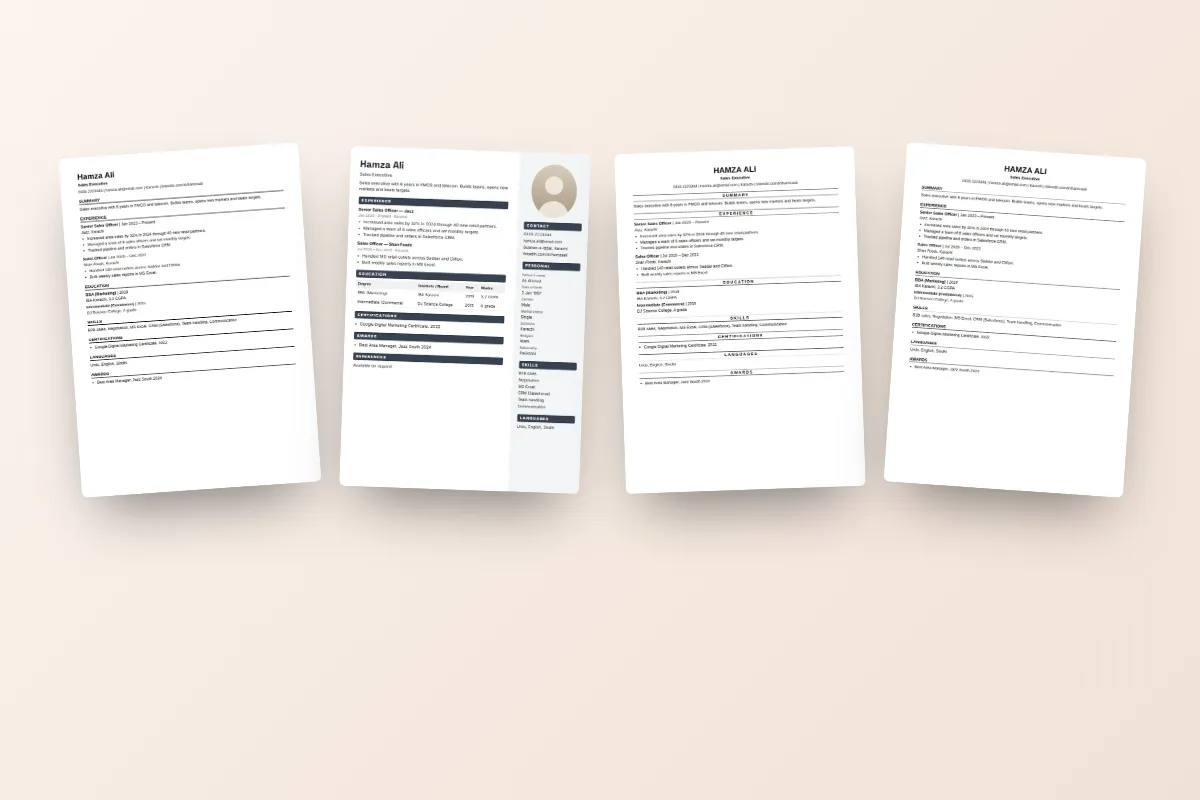
The stylish Canva template with a coloured sidebar for skills and a photo circle looks great to you. Many ATS read it straight across, line by line, so "MS Excel" ends up in the middle of your job title and your dates get attached to the wrong company.
Fix: use a single-column layout for anything going through a portal.
4. Fancy or creative headings
"My Journey", "What I Bring", "Academic Adventures". The software looks for Experience, Education and Skills. If it doesn't find them, it may read your degree as a job or skip your experience.
Fix: use plain headings: Summary, Experience, Education, Skills, Certifications, Languages.
5. Missing keywords from the job ad
The ad asks for "accounts payable", "QuickBooks" and "bank reconciliation". Your CV says "handled accounts". A person might connect the dots. The ATS won't.
Fix: read the ad, pick out the skills and tools, and use the same words where they're true for you. Our guide to ATS resume keywords shows this step by step.
6. Inconsistent dates
"2019–21", "March 2022 till date", "since last year", "6 months". Systems that calculate your years of experience get confused, and recruiters see a messy CV.
Fix: one format everywhere, like "Mar 2022 – Present". Same for education: "Intermediate, BISE Rawalpindi, 2018".
7. Contact details hidden in the header, an image or icons
Phone number inside a Word header, email shown only as an envelope icon, or the whole top section saved as a picture. Some systems skip all of these. You get shortlisted and nobody can call you.
Fix: plain text at the top of the page: name, phone, email, city, LinkedIn link.
8. Skills as stars and progress bars
Four stars for English, a 70% bar for Photoshop. The software sees nothing, and a recruiter learns nothing. What is 70% of Photoshop?
Fix: list skills as words. If level matters, say it: "English (IELTS 7.0)", "Adobe Photoshop (product photo editing)".
9. Paragraphs instead of bullet points
A five-line paragraph under each job is hard to scan and hides your best work. "Responsible for sales" tells nobody anything.
Fix: 3–5 short bullets per job, each starting with an action word and a number where you can: "Increased monthly sales from Rs 2.5 lakh to Rs 4 lakh in 8 months."
10. Wrong length and wrong details for the job
A four-page CV listing every matric certificate, or a single half page with nothing in it. Or a CV with photo, religion, CNIC and father's name sent to a multinational in Dubai.
Fix: 1 page for fresh graduates, 2 pages with experience. Keep two versions: a Pakistani CV with photo, CNIC and domicile for government and local jobs, and a plain ATS resume for portals, LinkedIn and Gulf jobs.
Before and after: an example
Take an example: Hamza Ali, a sales executive in Karachi, has applied to 35 jobs on Rozee with no calls. His checker result was 23 out of 100.
| Problem found | What he changed |
|---|---|
| Two-column template with sidebar | Moved to the Classic Centered single-column design |
| Heading "Professional Journey" | Renamed to "Experience" |
| Dates: "2020 to 2022", "Jan-23 till now" | "Feb 2020 – Dec 2022", "Jan 2023 – Present" |
| Skills as star ratings | "FMCG Sales, Route Planning, Negotiation, MS Excel, CRM" |
| "Did sales in my area" | "Managed 85 retail accounts and hit 110% of monthly targets" |
New score: 84. Same person, same experience, readable CV.
What to do today
- Run your current CV through the ATS resume checker. It takes a minute and the file stays on your device.
- Paste a job ad you actually want, to see which keywords are missing.
- Tap "Fix my CV" to move your details into an ATS resume, pick a single-column design and correct the failed checks.
- Download as PDF or Word (.docx), whichever the portal wants.
- Check again. Aim for 80 or above.
Every design is free, and your details stay saved on your phone, so tailoring the next application takes minutes. Not getting calls is discouraging. But if the reason is a file the software can't read, that's the easiest problem in your job search to fix.


