

Principals read dozens of teacher applications in hiring season, usually between classes. They look for three things first: what you teach, which classes, and whether you have a B.Ed. If your biodata hides those, it goes to the bottom of the pile.
Quick answer: a good teacher biodata format puts your subjects, classes taught and professional qualification (B.Ed or M.Ed) near the top, followed by teaching experience with school names and years. Add personal details, contact and a short skills list, keep it to one page, and mention you are available for a demo lesson. A full sample is below.
What schools look for in a teacher biodata
Whether it is a big school chain, a neighbourhood English-medium school or an academy, the coordinator is scanning for the same things:
- Subjects: exactly what you can teach. "English, Social Studies" is clearer than "Arts subjects".
- Classes taught: Montessori/Early Years, Primary (1–5), Middle (6–8), Matric (9–10), Intermediate or O/A Level. A Class 3 teacher and an A Level physics teacher are very different hires.
- Qualification: your subject degree plus B.Ed, M.Ed, ADE or a Montessori diploma if you have one.
- Experience: school name, city, years, and what you taught there.
- Communication: how well you speak English or Urdu, depending on the school's medium.
- Stability: schools prefer teachers who stay a full session, so long stints help.
A dedicated teacher biodata design has separate lines for subjects and classes taught, so these jump out without the principal having to hunt.
Teacher biodata format: section by section
1. Personal details
Name, father's or husband's name, date of birth, CNIC (only if asked), domicile, religion and marital status. Government posts need domicile and CNIC. Private schools often only need the first few lines.
2. Contact
Mobile, WhatsApp, a sensible email and your area of the city. Schools care about distance, so writing "Johar Town, Lahore" can actually help if the campus is nearby.
3. Subjects and classes taught
Two short lines. Example: "Subjects: English, Urdu. Classes taught: 6–10 (Matric, Punjab Board)." If you have taught a specific curriculum (Punjab Textbook Board, Federal Board, Cambridge O Level, Oxford series), say so.
4. Education
A table with degree, board or university, year and marks. Put the professional degree (B.Ed or M.Ed) on its own row so it is not missed. Include matric and intermediate with the BISE board name.
5. Teaching experience
Newest first. For each school: your role, school name and city, month and year from and to, and one line on what you did. Good examples of that line: "Taught English to Classes 7–9, 35 students per section", "Prepared Class 10 for board exams, 92% pass rate", "Class teacher for Grade 4, handled parent-teacher meetings".
6. Skills
Keep it relevant: lesson planning, classroom management, MS Word and PowerPoint, Google Classroom, multimedia teaching, exam paper setting, co-curricular activities like debates or Qirat competitions.
Teacher biodata sample
Here is a filled-in example for an example teacher. Copy the level of detail, not the details.
| Field | Sample entry |
|---|---|
| Name | Ayesha Khan |
| Father's name | Tariq Khan |
| Date of birth | 21-11-1996 |
| Domicile | Lahore, Punjab |
| Contact | 0321-7654321, ayesha.khan@email.com, Johar Town, Lahore |
| Subjects | English, Social Studies |
| Classes taught | 6–10 (Punjab Board, Matric) |
| Education | B.Ed, University of Education Lahore, 2019, 3.4 CGPA; BA (English Literature), University of the Punjab, 2017, 64%; Intermediate, BISE Lahore, 2014, 75%; Matric, BISE Lahore, 2012, 82% |
| Experience | English Teacher, a private school in Johar Town, Apr 2020 to present: Classes 8–10, board exam preparation, class teacher for Grade 9. Junior Teacher, a primary school in Township, 2019–2020: English and Social Studies, Classes 4–6. |
| Skills | Lesson planning, classroom management, PowerPoint, Google Classroom, debate coaching |
| Languages | English (fluent), Urdu (fluent), Punjabi (fluent) |
In thirty seconds, a principal knows Ayesha teaches English to secondary classes, has a B.Ed and has five years of board-class experience. That is the goal.
Private school vs government teaching jobs
Private schools and academies
Private schools move fast. They want a one-page biodata on WhatsApp or email, then call you for an interview and a demo lesson, sometimes the same week. Your experience, communication and demo matter more than marks. A photo is usually expected. CNIC and domicile can wait until joining.
Government teaching posts
Government jobs (through PPSC, FPSC, NTS-based tests or district recruitment) are formal. The application form itself is the main document, but a biodata often goes with it or is asked for at interview. Here, every detail must match your documents exactly: name spelling, date of birth, marks, domicile district. Keep attested copies of degrees, CNIC and domicile ready, and check the ad for the required qualification and age limit.
Preparing for the demo lesson
Most private schools will ask for a demo lesson after shortlisting your biodata. A few practical tips:
- Ask the topic and class in advance. If they leave it to you, pick something you know well from the class you are applying for.
- Plan for 15 minutes: a quick starter question, the main explanation, one short activity, and a two-line recap.
- Use the board well. Big, neat writing, date and topic at the top.
- Involve students. Ask questions by name if there are students. Schools watch how you manage the room more than how much you know.
- Bring a printed lesson plan. One page is enough, and it shows you are organised.
Writing "Available for demo lesson" at the end of your biodata is a small touch that coordinators appreciate.
Mistakes teachers make on their biodata
- Writing "teacher" without naming subjects or classes.
- Burying the B.Ed in a long paragraph.
- Leaving gaps in experience with no explanation. A line such as "2021–2022: home tuition, Classes 5–8" is better than a blank year.
- Using a casual photo. Choose a plain background and simple formal clothes.
- Sending the same biodata to a Montessori campus and an A Level college. Adjust the subjects and classes line each time.
Making your teacher biodata on your phone
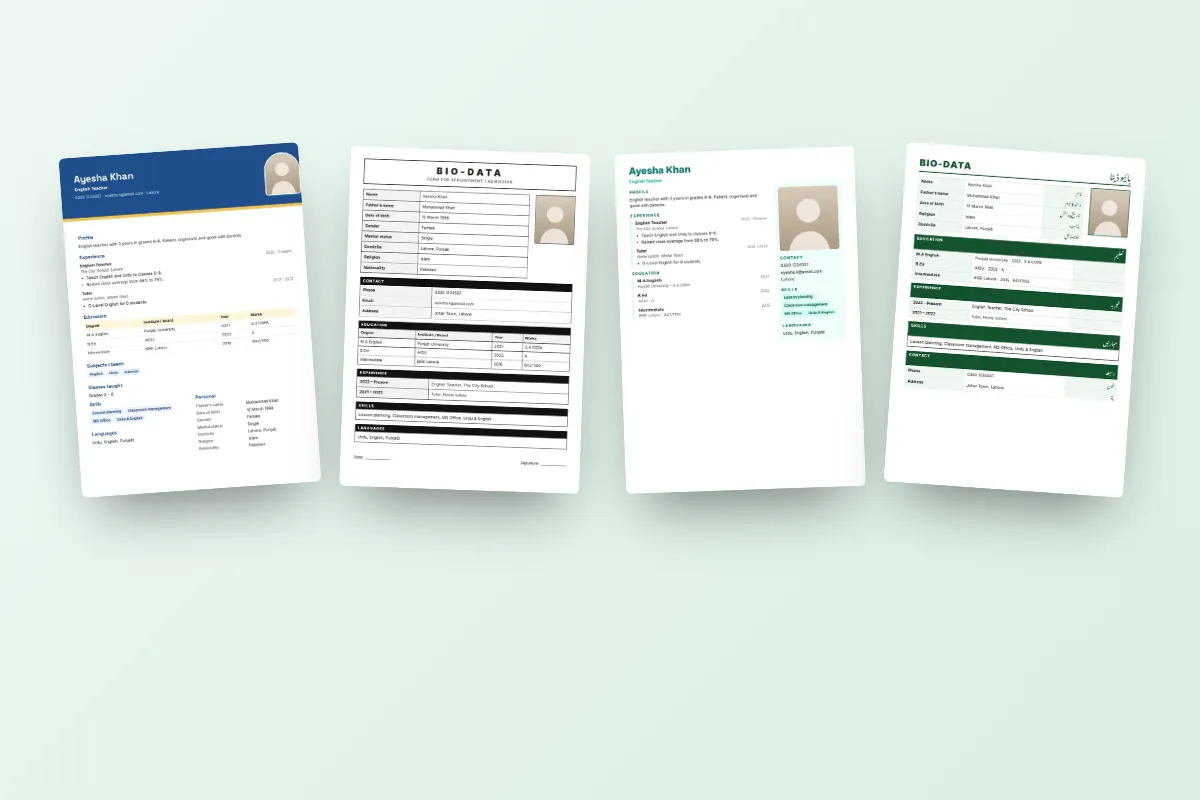
On ChatWrapper, the Teacher design has its own fields for subjects and classes taught. You type your details once on your phone, see a live preview and can switch to Bio-Data Form, Navy Professional, Bilingual or any other design without retyping. Your details stay saved on your phone as you type, the photo is optional, and your CNIC number is never stored. Download it as a PDF to email or print, or as a picture to send on WhatsApp.
Want to compare looks first? See all the biodata templates. Then fill in your teacher biodata and keep it ready for the next school that is hiring.


